


Support UEFA CL, AFC, Copa Libertadores kits
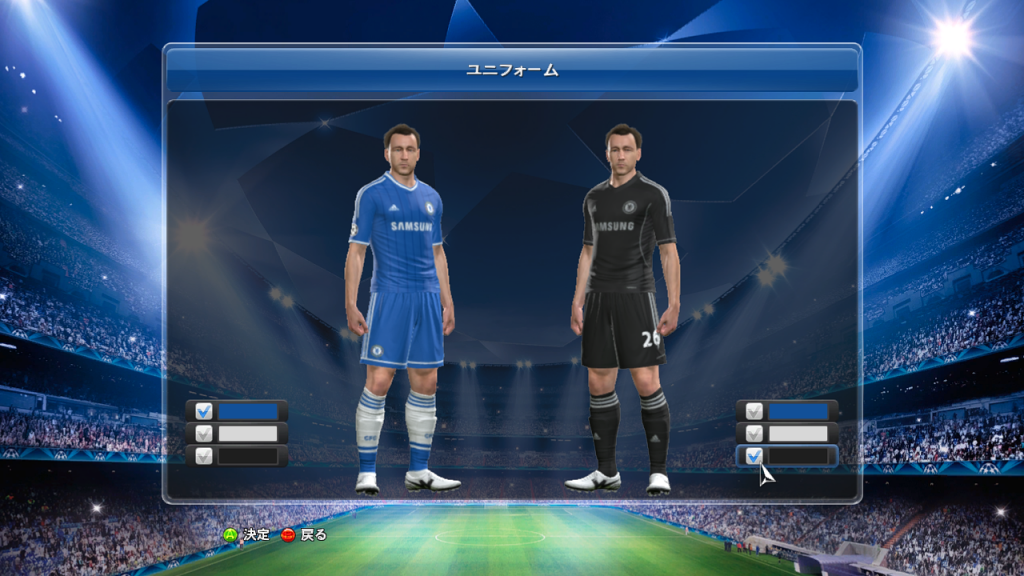
PES2014 File Loader
- Manage game content using files and folders: much easier and quicker to install/remove patches, without the need modify *.cpk files.
- Allow to add a lot more functionality via plugin system.
- Supports all version of PES2014, no need update when have new official patch.
- Works with both DVD & no-DVD exe
- Fixed many bugs for kit loader
- Improve stability for plugins
- Added guide for kitloader in "Docs", please take a look before configuration your kits
- Fileloader can work with unzlib file (you dont need to zlib file before using)
- Available plugin :
- KitLoader.dll : Manage kits with GDB system
- Lodmixer.dll : Misc visual tweaks, change screen resolution, enforce picture quality...
- SongLoader.dll : Allow to add & playback hca file ingame
- Speeder.dll : Increase or decrease gameplay speed, improve performance, fix some system's bugs
How to relink kit via Kitloader :
[map]
- Open map.txt in : "FileLoader\GDB\uni\" with notepad or any text editor
- Edit section [map]
- Fomular (team kit) : team = [Team ID] , "[Folder's path]"
- Example :
team=102, "EPL\Chelsea"
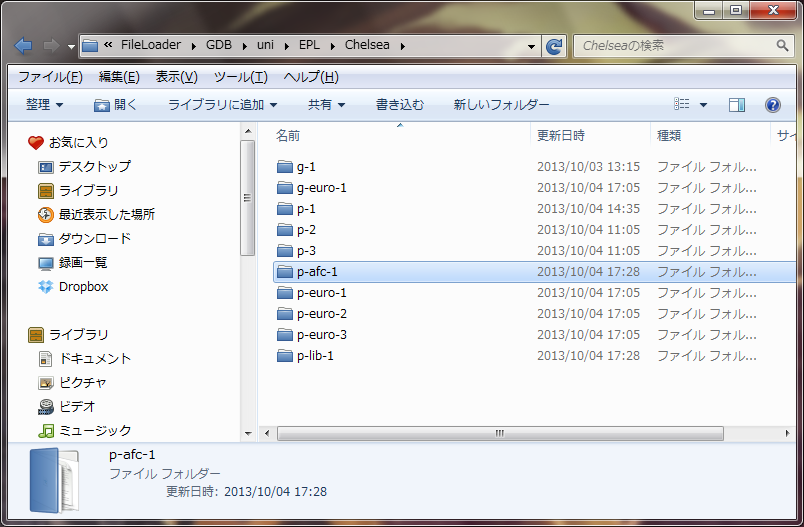
Create folder for kit :Example of kit folder :
- Default kit :
- For players, folder name = "p-" + kit ID example "p-1" , "p-2"
- For GK, folder name = "g-" + kit ID example "g-1" , "g-2"
- UEFA CL, EL
- For players, folder name = "p-euro-" + kit ID example "p-euro-1" , "p-euro-2"
- For GK, folder name = "g-euro-" + kit ID example "g-euro-1" , "g-euro-2"
- AFC
- For players, folder name = "p-afc-" + kit ID example "p-afc-1" , "p-afc-2"
- For GK, folder name = "g-afc-" + kit ID example "g-afc-1" , "g-afc-2"
- Libertadores
- For players, folder name = "p-lib-" + kit ID example "p-lib-1" , "p-lib-2"
- For GK, folder name = "g-lib-" + kit ID example "g-lib-1" , "g-lib-2"
How to uninstall :
- Just remove dsound.dll
This comment has been removed by the author.
BalasHapusbuat pes 2013 bisa nggak?
BalasHapus